
Library Membership Help
Joining the Library
Library membership is free. Join using our online form.
Membership Eligibility
Logging into your Library Account
-
- Log into your library account by selecting "Membership" from the main menu, then select either "RMH Login" or "RWH Login".
- This will take you to the login screen for your institutuion where you will enter your library membership number as well as your password.
- From your Library Account you can check what books you have on loan and renew any that are eligible.
- From the "Membership" menu you can also reset your password for your library account if you have forgotten it.
Resetting your Library Password
-
- Reset your library password by selecting "Membership" from the main menu, then select either "Reset your password".
- This will take you to a screen where you are asked to enter the email address you have set up in your membership, or your membership number. Enter one or the other and click send.
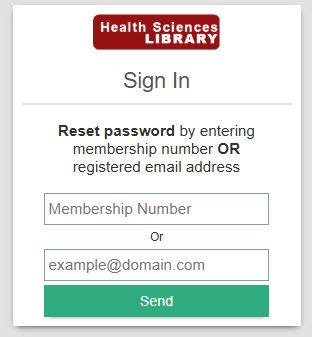
- An email will then be sent to your registered email address.
- Follow the link in the email and you will be able to set your new password. Please take note of the special characters that can't be used.